Platforms
Leadinfo consultants for B2B teams that need to know who is already interested
Your website may already be attracting the right companies, but analytics alone rarely tells sales who to follow up with, what they looked at, or when they should act.
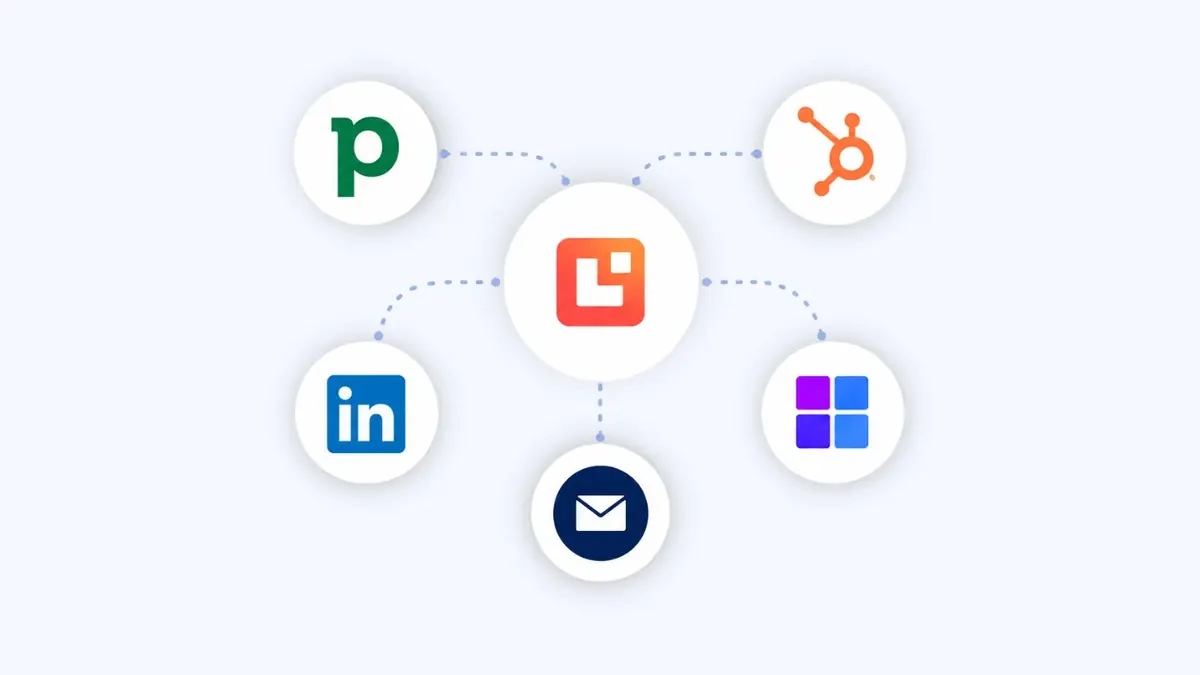
We design Leadinfo around your sales and marketing process, so company visits, page-level intent, decision-maker research, alerts and CRM handoffs become a clear lead generation workflow. Leadinfo shows you which companies are visiting; Flowbird helps you turn that signal into clean, timely action.
UK-based implementation team • CRM-first lead routing • Built for action, not dashboard-watching
Knowing which company visited is worth nothing if your CRM cannot tell you whether they are already a customer, already in a deal, or already talked to twice this year. Matching what Leadinfo sees against records you trust is the difference between a useful signal and another dashboard nobody opens.
What a well-implemented Leadinfo system gives your sales and marketing team
When Leadinfo is connected to your ICP, CRM and follow-up process, website traffic becomes more than a report. Your team can see which companies are showing interest, prioritise the right visits and act while the signal is still fresh.
Reveal companies behind visits
Move beyond anonymous sessions and see which B2B companies are engaging with your website, key pages and campaigns.
Prioritise real buying signals
Filter visits by company fit, page behaviour, frequency, source and timing so sales teams focus on accounts showing useful intent.
Find the right people to contact
Use Leadinfo contact data and profile matching to identify likely decision-makers at companies already researching your business.
Route leads into your CRM cleanly
Send qualified website visitor data into Pipedrive, HubSpot, Salesforce or other tools with clear ownership, fields, alerts and follow-up rules.
How Leadinfo actually works in practice
Before choosing website visitor identification software, it helps to understand what the tool does and what it does not do. Leadinfo is not just another analytics dashboard. It is a B2B lead generation layer that helps you identify companies visiting your website, understand what they looked at and create a clearer follow-up path.
Used well, Leadinfo helps you move from "how many visitors did we get?" to a more useful question: which companies are showing interest, do they fit our target market, who should own the follow-up, and what should happen next?
From anonymous traffic to sales action
Leadinfo connects website visits, company identification, decision-maker context and CRM handoffs so your team can act on warm intent sooner.
Install the tracking code
Leadinfo starts with a tracking script on your website. Once active, it can begin identifying B2B companies visiting key pages and recording useful visit behaviour for your team to review.
Identify visiting companies
The system turns part of your anonymous B2B traffic into company-level insight. This gives sales and marketing a clearer view of which organisations are already engaging with your website.
Read the intent behind the visit
Page views, repeat visits, campaign source and timing help your team understand whether a company is casually browsing, comparing solutions or showing stronger buying intent.
Connect follow-up to your CRM
Qualified visits can be routed into your CRM, shared with sales, pushed into alerts or used to trigger follow-up workflows, so the signal does not sit unused in another dashboard.
Where Leadinfo works best
Leadinfo becomes most valuable when your website already attracts relevant B2B traffic and your team has a clear plan for acting on identified companies. It is less useful when there is no ICP, no follow-up owner or no agreement on what counts as a qualified visit.
✔Leadinfo is a strong fit when…
- Your website receives B2B traffic but sales cannot see which companies are visiting.
- Marketing wants to prove which campaigns attract valuable accounts.
- Sales teams need warmer accounts to prioritise before cold outreach.
- You want to route high-intent website visits into Pipedrive, HubSpot or Salesforce.
- Your team wants alerts when target accounts visit important pages.
- You need a practical way to connect website behaviour with lead follow-up.
✕Leadinfo is not the first move when…
- Your website has very low B2B traffic.
- Your ICP is too broad to decide which visits matter.
- Sales has no follow-up process for warm company signals.
- Your CRM does not have clear ownership, fields or lead source rules.
- You expect the tool to identify every individual visitor by name.
- Nobody owns compliance, privacy wording or consent configuration.
Why B2B teams choose Leadinfo over analytics-only reporting and cold prospecting lists
Analytics tools can show traffic volume, and prospecting databases can help you build lists. Leadinfo sits between the two: it helps you see which companies are already engaging with your website, then gives your team a more relevant starting point for sales follow-up.
Where teams get stuck
- Truth and deal ownership split across tabs and inboxes
- CRM layouts clash with real conversations, so adoption drops
- Follow-ups depend on manual chasing between tools
- Reporting is slow and still leaves forecast uncertainty
What improves with Leadinfo
- Visual stages mapped to how your team already sells
- Next actions, reminders and ownership live in one pipeline
- Dashboards leaders trust for coaching and forecasting
- Automation cuts repetitive admin while protecting data quality
Common questions before implementing Leadinfo
Teams rarely say "we need website visitor identification software." They usually describe practical sales and marketing friction like this.
Leadinfo is B2B website visitor identification software. It helps companies see which organisations are visiting their website, understand what those companies are interested in and create follow-up actions through CRM, alerts, contact data and outreach workflows.
A tracking code is added to your website. Leadinfo then identifies part of your B2B website traffic at company level and shows useful context such as pages viewed, visit timing, source and engagement behaviour.
No. Website visitor identification is not the same as identifying every person who visits your site. Leadinfo is most useful for identifying B2B companies and turning those company-level signals into practical sales and marketing actions.
Leadinfo can help match identified companies with relevant decision-maker profiles and contact data. We help configure how that information should be used, who should own the follow-up and how it should appear in your CRM.
Leadinfo positions its platform as GDPR-compliant, but your implementation still needs to be set up responsibly. We help you think through privacy wording, lawful basis, consent configuration, CRM sync rules and internal data handling so the process is documented clearly.
The technical tracking setup can be quick, but a useful implementation needs more than a tracking code. The important work is deciding which visits matter, how they should be scored, who gets alerted and what happens inside your CRM.
Leadinfo can connect to CRM tools so identified companies and follow-up context can move into your sales process. Flowbird designs the field mapping, lead source logic, ownership rules and alerts so your CRM receives useful data instead of noise.
Yes. Marketing teams can use Leadinfo to see which campaigns, pages and content attract target companies. Sales teams can then use the same insight to prioritise follow-up and make outreach more relevant.
Autopilot is Leadinfo’s follow-up layer for targeting companies that match your ideal customer profile and helping automate outreach activity. It is useful when your team wants identified website visitors to move into a more structured campaign workflow.
A strong first workflow is usually focused: identify companies visiting high-intent pages, filter them against your ICP, alert the right owner and create or update a CRM record only when the visit is worth action.
This is where Flowbird works best: turning website visitor insight into a clear sales and marketing workflow your team can trust.
No pressure. No hard sell. Just practical guidance on whether Leadinfo fits your current traffic, CRM and follow-up process.
How we implement Leadinfo so website intent becomes a useful sales signal
The goal is not to create another dashboard for people to check. It is to make website visitor identification part of a practical revenue process, with clear qualification rules, CRM handoffs and follow-up habits.
Map traffic, ICP and follow-up ownership
We review your website, target market, sales process and CRM structure so Leadinfo is focused on the companies and pages that actually matter.
Configure tracking, privacy and qualification rules
We configure fields, views, automation and reporting in a lightweight way, so your team can test quickly on real deals.
Connect Leadinfo to your CRM and alerts
We configure handoffs into Pipedrive, HubSpot, Salesforce or other tools, with field mapping, lead source rules, ownership logic and notifications for high-intent visits.
Train, review and improve the workflow
We review what worked, what to refine and what to scale next, so licence and process decisions stay clear, not rushed.
Start with the visits most likely to matter.
Leadinfo works best when your first workflow is focused. We usually start with high-intent pages, target-account visits or campaign traffic, then expand once the team trusts the signal and knows how to act on it.
No pressure. No hard sell. Just practical guidance.
What good Leadinfo implementation looks like in practice
Strong website visitor identification is not about watching every visit. It is about spotting useful company intent, routing it clearly and helping sales act before the opportunity goes cold.
Company-level visibility from website traffic
Sales and marketing teams can see which B2B companies are engaging with important pages, instead of relying only on anonymous analytics.
Better prioritisation of warm accounts
Visit frequency, page type, campaign source and company fit help teams decide which accounts deserve immediate follow-up.
Cleaner lead source tracking
CRM records can include website visit context, campaign source and page interest, making follow-up and reporting easier to understand.
Faster sales response
Alerts and ownership rules help reps respond to high-intent visits while the company is still actively researching.
More useful marketing insight
Marketing can see which content and campaigns attract target companies, not just which pages receive traffic.
Governed data and compliance habits
Privacy wording, lawful basis decisions, CRM sync rules and data handling are considered as part of the implementation, not left as an afterthought.
How Flowbird helps you get Leadinfo right
We help you move from anonymous website traffic and disconnected sales follow-up to a practical Leadinfo setup that turns company-level intent into clear CRM action.
Leadinfo discovery and fit assessment
We review your website traffic, ICP, CRM setup and sales process to decide where Leadinfo can create useful follow-up opportunities.
Tracking and privacy setup support
We help coordinate tracking implementation, privacy considerations, website notices and data handling rules so the setup is clear from the start.
Visitor segmentation and scoring
We define which visits matter by company fit, page type, source, repeat behaviour and commercial intent, so your team focuses on the right signals.
CRM integration and lead routing
We connect Leadinfo into Pipedrive, HubSpot, Salesforce or other systems with field mapping, ownership logic, source tracking and update rules.
Sales alerts and follow-up workflows
We configure alerts, tasks and follow-up processes so high-intent website visits reach the right people at the right time.
Training and ongoing optimisation
We train sales and marketing teams, document the workflow and refine the setup as campaigns, traffic quality and follow-up habits evolve.
Turning identified visitors into records you can act on is CRM data enrichment and integration.